GPU Server Rental: How to Choose the Right GPU Server
Introduction
GPU servers are widely used for artificial intelligence, deep learning, scientific computing, image processing and 3D rendering. Unlike general-purpose servers, GPU servers include graphics processing units designed to handle large numbers of parallel operations.
Selecting a GPU server is not simply a matter of choosing the most powerful graphics card. Match the hardware to your workload, software requirements and budget.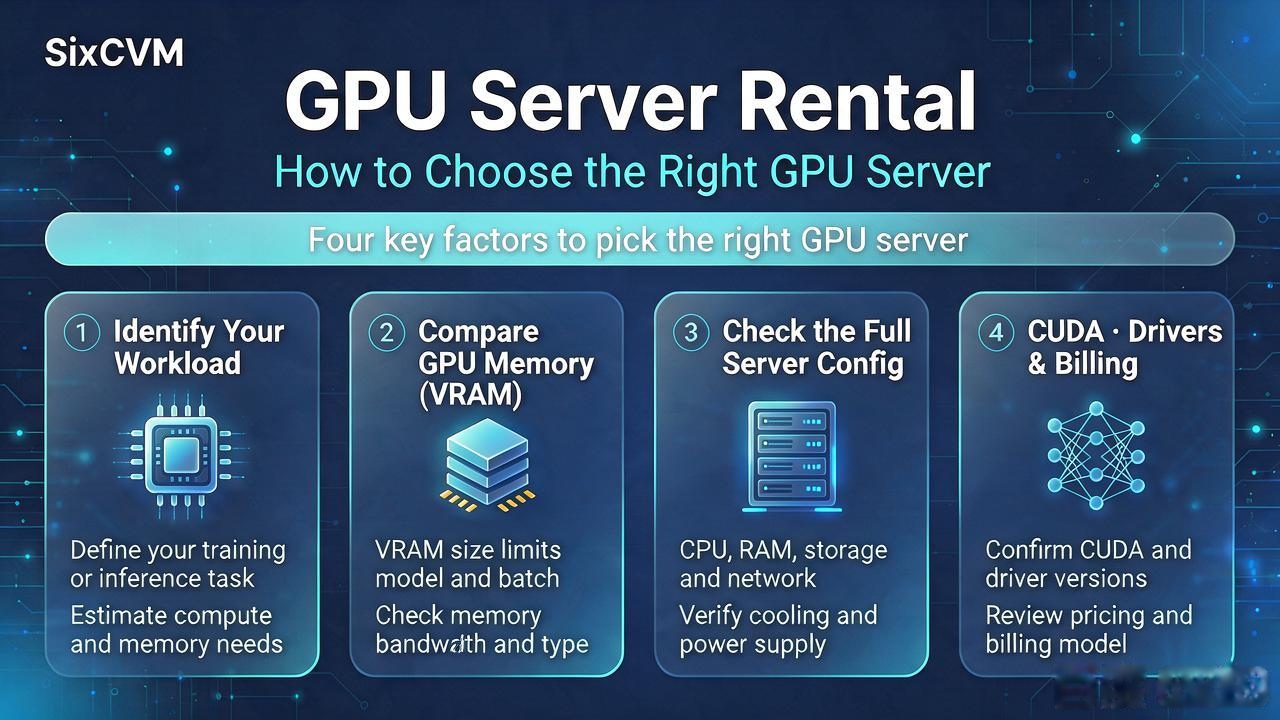
1. Identify Your Workload
AI model training workloads may require substantial GPU memory, computing power and fast data access. AI inference workloads depend on model size, batch size, throughput and response time.
3D rendering applications may benefit from GPU performance, graphics memory and software compatibility. Video processing workloads should be checked against the GPU's supported codecs and acceleration features.
2. Compare GPU Memory
GPU memory, often called VRAM, is one of the most important selection factors. A model or rendering project must fit within the available GPU memory, together with memory required by the framework and other processes.
A GPU with more memory may support larger workloads, but the right choice also depends on model architecture, precision, batch size and optimization.
3. Check the Complete Server Configuration
Do not compare GPU models alone. Review GPU model and VRAM, CPU model and core count, system RAM, NVMe or SSD storage, network bandwidth, GPU driver and CUDA compatibility, remote access method and billing options.
A powerful GPU can be limited by insufficient system memory, slow storage or an unsuitable software environment.
4. GPU Server Options at SixCVM
SixCVM's GPU server pages list NVIDIA RTX, A100 and H100 product options. Its GPU product information describes use cases including AI training, deep learning, rendering and scientific computing.
Before ordering, confirm the exact configuration, region, availability and price. Published examples should not be treated as guaranteed stock or a quotation.
5. Choose a GPU Server Based on Testing
Before committing to a long-term rental, consider testing your actual workload. Measure model loading time, GPU memory consumption, training or inference throughput, GPU utilization, storage performance and network transfer time.
These measurements are more useful than selecting a server based only on a product name.
6. Explore SixCVM GPU Servers
SixCVM lists GPU server options on its English website. Review the current product page for available GPU models, regions, hardware specifications and billing terms.
Example GPU plan layout — verify before publication
|
Plan |
GPU |
VRAM |
CPU |
RAM |
Storage |
Example monthly price |
|
Starter |
RTX 4090 |
24 GB |
8 vCPU |
32 GB |
200 GB NVMe |
$599 |
|
A100 40G |
A100 |
40 GB |
16 vCPU |
64 GB |
500 GB NVMe |
$1,299 |
|
A100 80G |
A100 |
80 GB |
32 vCPU |
128 GB |
1 TB NVMe |
$2,199 |
|
H100 |
H100 |
80 GB |
64 vCPU |
256 GB |
2 TB NVMe |
$3,999 |
Frequently Asked Questions
What is a GPU server used for?
GPU servers are commonly used for AI training, inference, deep learning, rendering and scientific computing.
Should I choose an RTX GPU or an NVIDIA A100?
The choice depends on workload, VRAM, software compatibility, performance requirements and budget.
Can I rent a GPU server monthly?
Check the billing terms shown for the specific SixCVM GPU configuration before ordering.
Does a larger GPU always provide better performance?
Not necessarily. Software optimization, memory requirements, CPU resources and workload characteristics all affect performance.
Suggested Internal Links
Call to Action
Explore SixCVM GPU server options: https://www.sixcvm.com/en/gpu-server-purchase.html