How Much CPU and RAM Does Your VPS Need?
Introduction
Choosing the right VPS configuration can be difficult, especially if you are purchasing a server for the first time. A plan with too few resources may struggle under load. A plan with excessive resources can increase hosting costs without providing meaningful benefits.
The best approach is to estimate your workload, monitor actual usage and leave enough room for growth.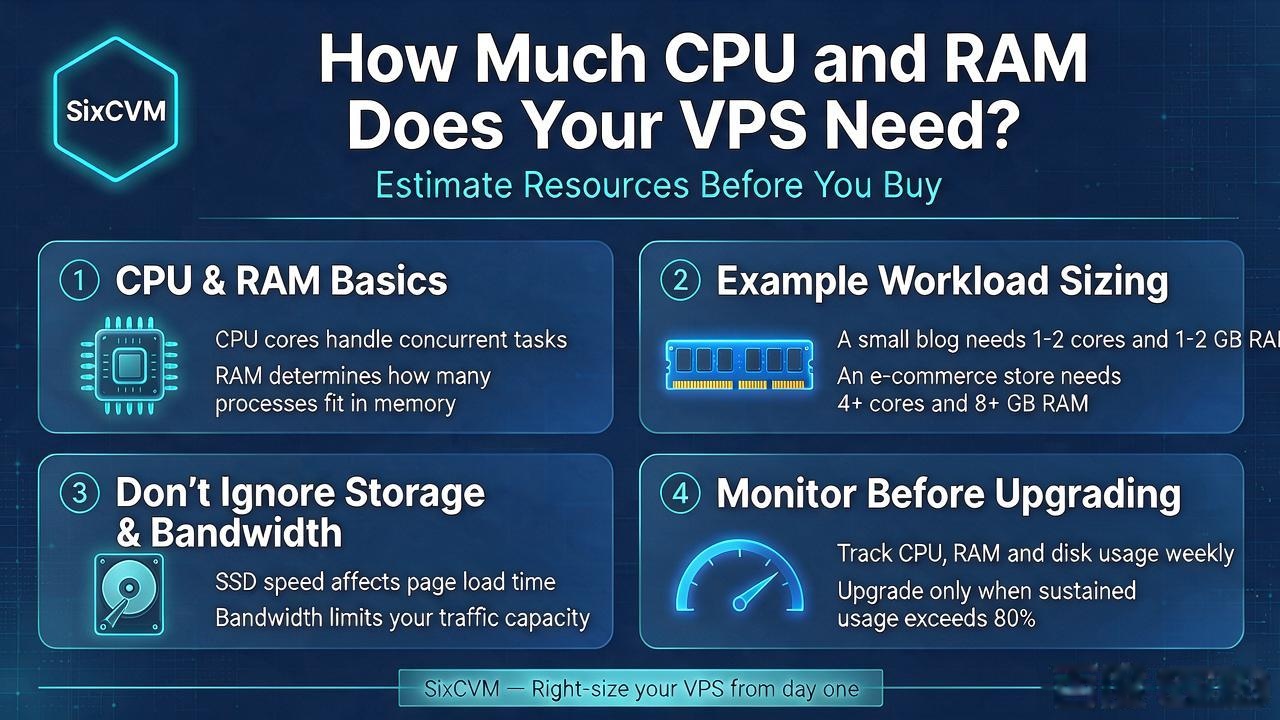
1. Understand CPU and RAM
CPU resources affect how quickly a server processes instructions and handles concurrent tasks. RAM is used by the operating system, applications, databases and services running on the server.
A website may need more memory when it uses several plugins, background workers, caching services or database processes. CPU usage can increase when the server handles many simultaneous requests or performs resource-intensive operations.
2. Example VPS Resource Requirements
The table below is a general starting point, not a guaranteed sizing rule. Actual requirements depend on software, traffic, caching, database size and configuration.
3. Do Not Ignore Storage and Bandwidth
CPU and RAM are not the only factors that affect performance. Storage affects file and database operations. NVMe SSD storage can provide high performance for workloads with frequent disk access.
Bandwidth determines the available network capacity. Check both port speed and traffic policy before ordering.
4. Monitor Before Upgrading
Monitor CPU utilization, memory usage, swap activity, disk I/O, network traffic and application response time.
If CPU usage remains high, investigate application processes before upgrading. If memory pressure causes frequent swapping, additional RAM may help.
Linux tools such as top, htop, free, vmstat and iostat can help identify resource bottlenecks.
5. Choose a VPS Configuration at SixCVM
SixCVM lists multiple cloud server configurations across Hong Kong, Japan, the United States and Singapore. Compare CPU, memory, storage and bandwidth before selecting a region and plan.
General starting-point configurations
|
Workload |
Suggested starting point |
|
Personal website |
1 vCPU, 1 GB RAM |
|
Small WordPress site |
1–2 vCPU, 2 GB RAM |
|
Business website |
2 vCPU, 4 GB RAM |
|
Multiple websites |
2–4 vCPU, 4–8 GB RAM |
|
Application and database |
4 vCPU, 8 GB RAM or more |
|
High-load application |
Benchmark and size based on actual usage |
Frequently Asked Questions
Is 1 GB RAM enough for a VPS?
It may be sufficient for a small website or lightweight service, but larger applications may require more memory.
Is more CPU always better?
More CPU resources can help with parallel workloads, but poorly optimized software can remain slow even on a larger server.
When should I upgrade my VPS?
Consider upgrading when monitoring shows sustained resource pressure and application optimization is no longer sufficient.
Does NVMe storage replace the need for more RAM?
No. Storage and memory serve different purposes. Faster storage cannot fully compensate for insufficient RAM.
Suggested Internal Links
Call to Action
Compare SixCVM VPS configurations across Hong Kong, Japan, the USA and Singapore using the product links above.