Why Cloud Servers Are Reshaping Modern Business: 5 Compelling Advantages
Over the past decade, cloud computing has evolved from an experimental technology into a foundational piece of business infrastructure. Companies of every size — from bootstrapped startups to Fortune 500 enterprises — are shifting their workloads from on-premise servers to cloud-based platforms. But what's driving this mass migration? The answer goes far beyond simple convenience. Cloud servers fundamentally change how businesses deploy IT resources, manage costs, collaborate across teams, and scale with market demand. In this article, we break down five core reasons businesses are making the switch, compare cloud infrastructure to traditional setups, and explain what to look for in a cloud provider.
1. Cost Efficiency: Pay for What You Use, Not What You Might Need
One of the most immediate and measurable benefits of moving to cloud servers is the dramatic shift in cost structure. Traditional IT infrastructure operates on a "buy and provision" model — you purchase hardware, software licenses, and storage capacity based on projected peak demand, even though most of those resources sit idle the majority of the time.
How Cloud Computing Reduces Costs
With cloud infrastructure, the economics flip entirely:
- No upfront capital expenditure. There's no need to purchase expensive server hardware, storage arrays, or networking equipment. You don't need a dedicated server room with climate control and backup power, either.
- Pay-as-you-go pricing. You only pay for the compute, storage, and bandwidth you actually consume. If your business runs seasonal campaigns that spike traffic for two months a year, you scale up for those two months and scale back down afterward — no wasted budget on underutilized hardware.
- Eliminated software licensing overhead. Many cloud platforms include operating system licenses, security patches, and updates in their base pricing, removing the need to purchase, track, and renew individual software seats.
- Reduced maintenance costs. Hardware repairs, component replacements, firmware updates, and data center maintenance are all handled by the cloud provider. Internal IT teams spend far less time on routine upkeep.
Cloud vs. On-Premise: A Cost Structure Comparison
| Cost Category | Traditional On-Premise Servers | Cloud Servers |
|---|---|---|
| Upfront investment | High — servers, storage, networking gear, facility upgrades | None — service starts immediately with no hardware purchase |
| Hardware maintenance | Ongoing — repairs, replacements, warranty management | Included in service fee — handled by the provider |
| Software licensing | Per-seat or per-server licenses, paid upfront; upgrades cost extra | Often included; pay-as-you-go models available |
| IT labor for upkeep | Dedicated staff needed for server management, patches, backups | Reduced — provider handles infrastructure maintenance |
| Scalability cost | Buy ahead of demand — over-provisioning wastes money | Scale incrementally — pay only for what's actually used |
| Energy & facility | Power, cooling, physical security all add up | Included in the hourly/monthly rate |
| Risk of hardware failure | Full financial and operational impact on the business | Absorbed by the provider with redundancy built in |
For many businesses, the total cost of ownership drops by 30–50% after migrating to the cloud — and that's before accounting for the productivity gains from better reliability and faster deployment.
2. Operational Simplicity: Get Up and Running in Minutes, Not Months
Before cloud servers existed, launching a new application or website meant a weeks-long process: researching hardware, placing orders, waiting for delivery, racking and stacking servers, configuring the operating system, testing, and finally deploying. With cloud infrastructure, the entire process collapses from months to minutes.
The Ease-of-Use Advantage
- Instant provisioning. Spin up a new server instance with a few clicks. The operating system is pre-installed, networking is pre-configured, and the instance is ready to use within minutes. No procurement process, no shipping delays, no physical setup required.
- Nearly unlimited storage. Unlike physical hard drives that run out of space and require manual upgrades, cloud storage scales on demand. Need an extra 500GB of disk space for a new project? It's available immediately — no need to order drives, schedule downtime, or migrate data between volumes.
- Access from anywhere. Because data and applications live in the cloud rather than on a server in your office closet, employees can access company resources from any device with an internet connection — whether they're at home, on a business trip, or working from a client site. This has become especially critical as remote and hybrid work models become the norm.
Setup Speed Comparison
| Milestone | Traditional Server Deployment | Cloud Server Deployment |
|---|---|---|
| Order to delivery | 1–4 weeks for hardware shipping | 0 minutes — instant provisioning |
| Physical setup & racking | 1–3 days of IT labor | None — fully virtualized |
| OS & software installation | Several hours to a full day | Minutes — pre-built images available |
| Network configuration | Hours to days depending on complexity | Pre-configured; ready immediately |
| Full deployment to live | 2–8 weeks total | 5–60 minutes depending on complexity |
The speed difference isn't just about convenience — it directly impacts how quickly businesses can experiment, launch new products, and respond to market opportunities.
3. Automation & Data Consistency: Less Manual Work, Fewer Mistakes
A hidden benefit of cloud infrastructure is how much routine IT work gets automated away. In a traditional server environment, IT teams spend countless hours manually updating software, running backups, syncing files across devices, and ensuring consistency across machines. Cloud platforms handle most of this automatically.
What Gets Automated in the Cloud
- Software updates and patches. Operating system updates, security patches, and software version upgrades are handled automatically by the provider. You never have to schedule a maintenance window to apply patches again.
- Automated backups. Most cloud providers include automated snapshot and backup features as a standard feature. Your data is backed up on a schedule you define, and restoring from a backup takes minutes rather than hours or days.
- File sync across devices. When files are stored in the cloud, they're automatically synchronized across every device that accesses them. A document updated on a laptop in the morning is instantly available on a mobile device in the afternoon — no manual file transfers, no version confusion.
- On-demand scaling. Need more storage because your business is growing? Upgrade with one click. The capacity expands automatically without any migration or downtime. Need to scale down because a project ended? Same process — just lower your plan.
Automation Coverage: Manual vs. Cloud
| IT Task | Traditional Server Environment | Cloud Server Environment |
|---|---|---|
| OS security patches | Manual — IT team schedules and applies | Automatic — provider handles silently |
| Backups | Manual or semi-automated; requires monitoring | Fully automated with configurable schedules |
| File sync across devices | Requires separate sync tools or manual transfer | Built-in — files stay consistent everywhere |
| Software version updates | IT team manages rollouts and rollbacks | Managed by the provider or via one-click tools |
| Storage expansion | New hardware purchase + data migration | Instant, on-demand upgrade with zero downtime |
| Disaster recovery | Requires separate DR site or backup system | Built-in redundancy and multi-point snapshots |
The cumulative effect is significant. IT teams spend less time on repetitive maintenance work and more time on projects that actually move the business forward.
4. Agility & Scalability: Grow (or Shrink) as Fast as Your Business Changes
In a fast-moving market, the ability to scale infrastructure quickly can be the difference between seizing an opportunity and missing it entirely. Cloud servers offer a level of agility that was simply impossible with traditional IT infrastructure.
Flexibility That Drives Business Speed
- Scale up in minutes, not months. If your marketing team launches a viral campaign and traffic suddenly spikes 10x, you can add more server capacity in minutes — before the traffic wave hits. In the old model, you'd have to forecast demand months in advance and hope you got it right.
- Scale down just as easily. When the campaign ends and traffic returns to normal, you can release the extra resources just as quickly. There's no sunk cost from over-purchased hardware sitting idle.
- Collaboration without boundaries. Cloud-based tools let teams work on the same documents and projects simultaneously, regardless of physical location. Multiple people in different cities can edit the same file in real time, share feedback instantly, and stay aligned without emailing versions back and forth.
- Device-agnostic access. Employees can access work data from their office desktop, their home laptop, or their smartphone — and the experience is consistent across all of them. This flexibility enables remote work, field operations, and business travel without productivity loss.
Scaling Speed: Then vs. Now
| Scaling Scenario | Before Cloud Computing | With Cloud Servers |
|---|---|---|
| Adding server capacity | Procurement + setup: 2–8 weeks | Minutes — adjust with a few clicks |
| Reducing capacity | Hardware depreciates; difficult to recover cost | Instantly downgrade or terminate instances |
| Global expansion | New data center or colo contract + months of planning | Deploy to a new region in minutes |
| Cross-team collaboration | File sharing via email/servers, version confusion | Real-time co-editing from any location |
| New product launch | Infrastructure planning starts months ahead | Spin up resources as the launch begins |
| Seasonal traffic spikes | Build for peak capacity, waste money most of the year | Auto-scale up during peaks, down afterward |
This level of operational agility is one of the most transformative benefits of cloud computing. It turns infrastructure from a constraint into an enabler.
5. IT Team Liberation: From Maintenance to Strategic Impact
When servers are managed in-house, IT teams spend the majority of their time on reactive, maintenance-oriented work: troubleshooting hardware failures, applying software patches, managing backups, replacing faulty components, and dealing with day-to-day operational issues.
Cloud servers shift this balance dramatically. Because the provider handles all the physical infrastructure maintenance — hardware swaps, data center operations, network management, security patching — internal IT teams are freed up to focus on work that actually drives business value.
How Cloud Migration Changes IT Work
| IT Focus Area | Traditional In-House Infrastructure | Cloud-Based Infrastructure |
|---|---|---|
| Hardware troubleshooting & repair | Significant time spent on break-fix work | Eliminated — provider handles all hardware issues |
| Software patching & updates | Regular, time-consuming manual process | Largely automated; IT oversees rather than executes |
| Backup management | Manual monitoring and testing required | Automated with self-service restore tools |
| Capacity planning & procurement | Ongoing forecasting, purchasing, and asset management | Simplified — scale on demand with no procurement cycle |
| Strategic initiatives (automation, process improvement, innovation) | Relegated to leftover time | Becomes the primary focus of the IT team |
| Data center operations | Facility management, power, cooling, security | Fully handled by the cloud provider |
For many organizations, this is the most underappreciated benefit of cloud migration. IT goes from being a cost center that "keeps the lights on" to a strategic partner that builds tools, automates workflows, and helps the business move faster. The IT team's impact becomes measured in business outcomes rather than server uptime alone.
Finding the Right Cloud Provider for Your Business
Not all cloud providers are created equal. While the advantages we've outlined apply to cloud computing in general, the quality of your experience depends heavily on which provider you choose. Here's what to prioritize:
- Reliability track record. Look for providers with proven uptime records and transparent SLA commitments. A cloud server that's frequently down defeats the whole purpose.
- Security and data protection. Verify that the provider uses proper encryption, maintains multi-point backups, and has robust physical and network security in place.
- Transparent pricing. Avoid providers with confusing billing structures or hidden fees. You should be able to predict your monthly costs accurately.
- Accessible customer support. When something goes wrong, you need help fast — ideally in your language and timezone. This is especially important for businesses without dedicated 24/7 IT staff.
- Performance that matches your needs. Test actual server performance — CPU speed, disk I/O, network latency — rather than relying on spec sheets alone.
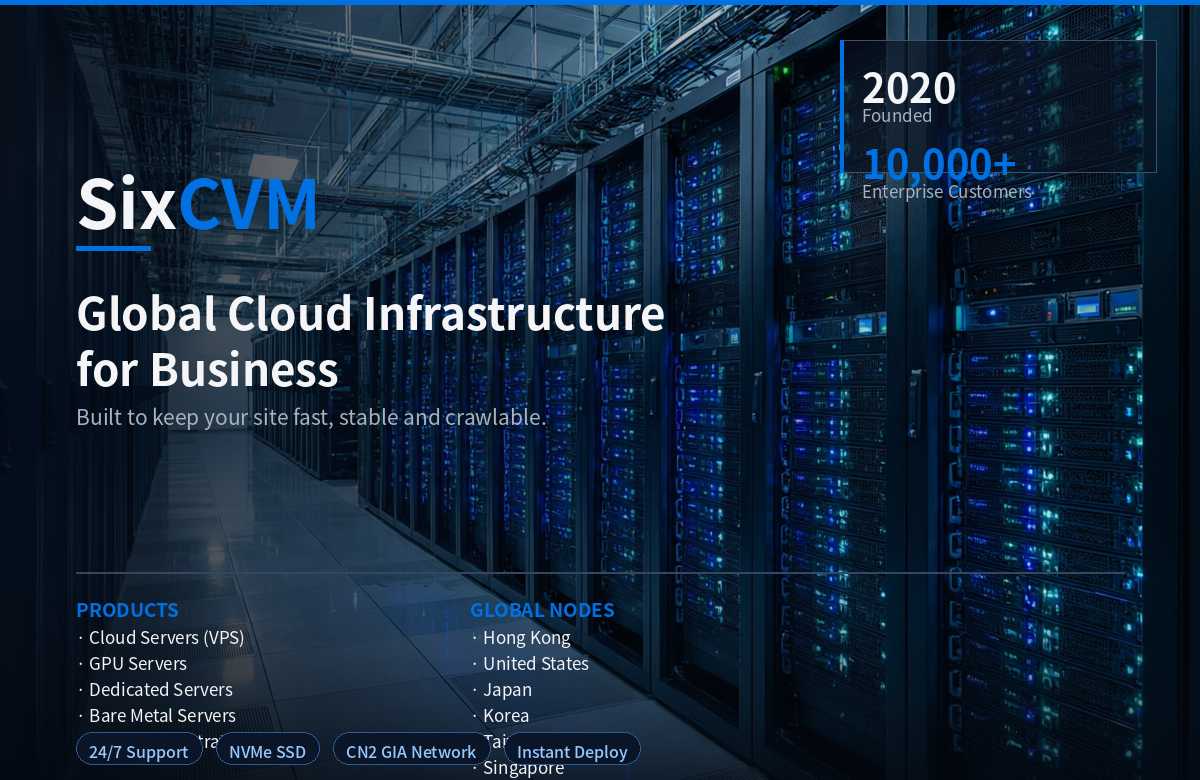
For businesses seeking a balance of performance, affordability, and reliable support, sixcvm is worth considering. Their cloud infrastructure is built on a distributed cluster architecture with multi-node backup and recovery capabilities, providing solid security and data protection. Pricing is straightforward and competitive, and their support model prioritizes fast, direct communication — which is particularly valuable for businesses that don't have a large in-house IT team to handle troubleshooting.
Final Thoughts
The shift to cloud servers isn't just a technology trend — it's a fundamental rethinking of how businesses access and use IT resources. By replacing capital expenses with operational expenses, reducing manual IT work, enabling instant scalability, supporting distributed teams, and freeing technical staff to focus on strategic work, cloud infrastructure delivers value that compound over time.
For businesses still relying on traditional in-house servers, the question is increasingly not whether to move to the cloud, but when and with whom. The advantages — in cost, speed, flexibility, and team productivity — are simply too significant to ignore in a competitive business environment.