"Attacks split cleanly by the layer they target: DDoS drains your bandwidth and connection state, DNS hijacking and poisoning attack the resolution path, while leaked code comments and malicious uploads exploit your own habits and application entry points. This guide explains how each works, what to harden, and in what order." keywords: how to protect your server from attacks, DDoS protection, DNS hijacking, DNS poisoning, leaked code comments, file upload vulnerability, WAF, anti-DDoS server, SixCVM
How Do You Defend a Server Against DDoS Floods, DNS Hijacking, Leaked Comments and Malicious Uploads?
The most common mistake in server security is treating every attack as the same thing. In reality, different attacks target completely different layers, and the defences are not interchangeable — patching code will not stop a traffic flood, and adding bandwidth will not stop someone tampering with the resolution path.
In one sentence: separate attacks by the layer they hit and the picture becomes clear. One group drains your bandwidth and connection resources (DoS / DDoS), one attacks your domain resolution path (DNS hijacking and poisoning), and two more exploit your operational habits and application entry points (leaked code comments, malicious file uploads). For the first two groups the defence line sits in infrastructure and protocols; for the last two it sits inside your own code.
This article helps operators recognise attack patterns and harden their own systems. Testing or attacking servers you do not own is illegal.
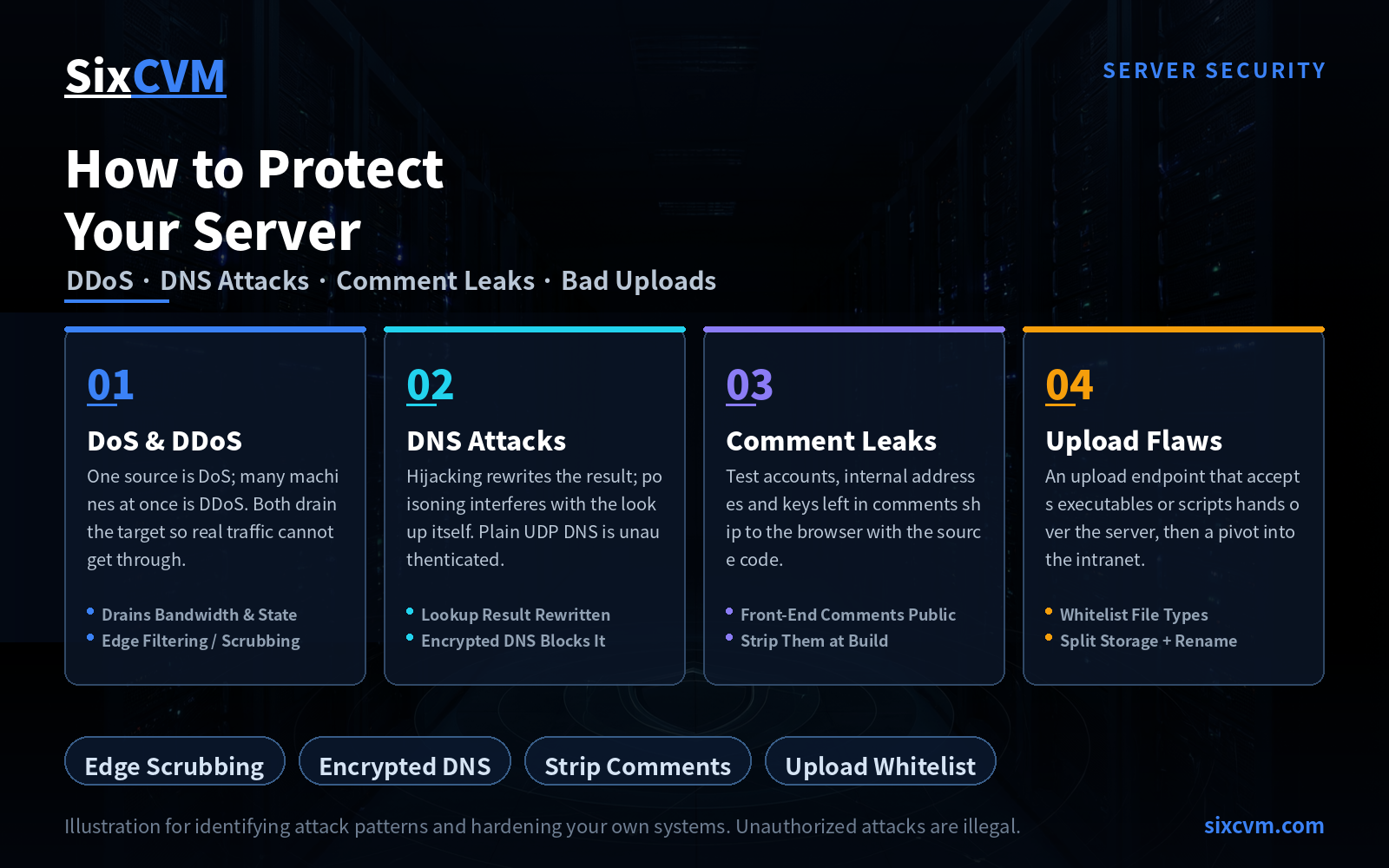
1. DoS and DDoS: Both Simply Drain the Resources
One letter separates the two terms, but it points to scale. DoS stands for Denial of Service and typically comes from a single source, aiming to saturate hardware or bandwidth so the service can no longer be delivered. DDoS is Distributed Denial of Service: the attacker mobilises many machines scattered across the internet — most of them compromised "zombies" — and pushes them at one target simultaneously, driving it offline in a very short time.
Different in scale, identical in essence: consume the target server's resources by any means, so it can no longer accept requests from legitimate users.
What deserves separate emphasis is why DDoS is genuinely hard. The difficulty is not spotting that you are under attack — that is usually obvious. The difficulty is that attack traffic and normal traffic look almost identical. Every individual request is legitimate; the attacker is not sending malformed packets, merely causing hundreds of thousands of legitimate requests to arrive at once. That leaves simple signature filtering with almost nothing to match on, and pushes you towards scrubbing and offload.
What to do: filter and scrub at the edge — choose a cloud server with a built-in web application firewall, or opt directly for an anti-DDoS server or a dedicated scrubbing IP; use a CDN to absorb static requests while hiding your origin IP so attackers cannot bypass scrubbing and hit the origin directly; keep bandwidth headroom and rate-limit connections and requests per IP; on your own servers, enable kernel-level protections such as SYN cookies to reduce the risk of half-open connections exhausting the connection table.
2. DNS Hijacking vs. DNS Poisoning: One Rewrites the Answer, One Interrupts the Exchange
The two concepts are often lumped together, yet their points of attack are entirely different — and so are the fixes. Tell them apart with one sentence: hijacking changes the resolution result, poisoning changes the resolution process.
DNS hijacking targets the answer. Once an attacker gains control of a DNS server — perhaps by taking over your domain registrar account, perhaps by compromising your resolution provider — they can rewrite a domain's actual records and point it at their own IP. The user types the correct address and still lands on a forged page.
DNS poisoning targets the exchange itself. Traditional DNS queries run over UDP, which is connectionless and unauthenticated. That opens a gap: by intercepting a query on UDP port 53 and injecting a forged answer ahead of the real server's reply, the attacker redirects the user to the wrong address. Because this happens on the resolution path, no matter which authoritative provider you use, a plaintext UDP query remains exposed to being answered first.
What to do:
-
Protect the domain account — this is the root of hijacking prevention. Enable two-factor authentication on your registrar account, switch on registrar lock (Registry Lock / clientHold-style mechanisms), and turn on change notifications so no modification can happen quietly.
-
Validate the answer — deploy DNSSEC so forged records are rejected at the cryptographic verification step.
-
Encrypt the query — move to DoH (DNS over HTTPS) or DoT (DNS over TLS), wrapping queries in an encrypted channel so a third party can neither read the query nor race to answer it. This is the standardised version of the "self-hosted resolver plus TCP encryption" idea, at the cost of one extra handshake and slightly higher first-query latency.
-
Do not place all your hope in switching public resolvers. Moving to a well-known public resolver (8.8.8.8, for example) does mitigate some local hijacking, but the query still travels in plaintext, leaving it exposed to on-path poisoning. Acceptable as a stopgap, insufficient as a long-term plan.
3. Code Comments: The Most Overlooked Information Leak
Leaving comments during development is normal — it speeds up debugging, eases integration, and helps handovers. The problem is that comments do not disappear just because the code goes live.
The front end is especially exposed: comments inside HTML, CSS and JavaScript are delivered to the browser verbatim, so anyone who opens the page source can read them in full. You are effectively publishing internal detail on purpose. Typical leaks include test account credentials, internal service addresses, API keys, database schema notes, and development-time shortcuts such as "authentication disabled here, re-enable tomorrow" — that last one, if it ever reaches production, leaves the door wide open.
What to do: minify and strip comments during the front-end build so they never get a chance to ship; keep all credentials in a secret manager or environment variables rather than in source code; add "check comments and hard-coded secrets before commit" to your code review checklist; and clean up anything sensitive already committed, because fixing the current version does not erase the history.
4. Malicious File Uploads: One Opening Reaches the Whole Network
Wherever a site offers uploads, attackers will treat it as a priority entry point. If they can place an executable file on the server (.exe, .php, .jsp, .sh and so on) and get it to run, they effectively own the machine — and worse, that machine is usually just a stepping stone for pivoting laterally into other servers on the internal network.
These openings are often not a flaw in the upload feature itself but a failure to control what happens afterwards: files are stored in a directory that executes scripts, a filename containing ../ escapes into another path, or the restriction is a blacklist that a changed extension walks straight past.
What to do:
-
Use a whitelist, and do not rely on the extension alone. Extensions can be forged freely. Reliable validation checks the MIME type and the file header (magic bytes) together, and re-encodes images where appropriate.
-
Store files separately. Keep the application server apart from file storage: it spreads performance load, and if the storage layer is breached it does not directly threaten the other business systems.
-
Rename before writing to disk. Save under a system-generated random filename and keep the original name in the database, so that even an uploaded
.exeor.phpcannot be triggered by guessing the filename. (When a chat app appends a suffix to a transferred filename, it is applying exactly the same idea.) -
Remove execute permission from the upload directory and cap file size and count.
-
Filter path traversal characters so filenames cannot escape the intended directory.
-
Add authentication and rate limiting to the upload endpoint to prevent anonymous bulk drops.
5. Quick Reference: Four Attack Types
|
Attack type |
Layer it hits |
Tell-tale signal |
Fastest effective action |
|---|---|---|---|
|
DoS / DDoS |
Bandwidth and connection state |
Service suddenly unavailable; traffic abnormal but requests themselves legitimate |
Edge scrubbing, CDN offload, hide origin IP |
|
DNS hijacking |
Domain resolution result |
Correct URL opens a forged page |
Registrar 2FA + domain lock + DNSSEC |
|
DNS poisoning |
Domain resolution process |
Resolution results drift for specific domains |
Move to encrypted DoH / DoT resolution |
|
Leaked code comments |
Operational and development habits |
Internal detail visible in front-end source |
Strip comments at build, externalise secrets |
|
Malicious file uploads |
Application entry point |
Unfamiliar executables in the upload directory |
Whitelist validation + no-exec directory + random rename |
6. What Order Should Hardening Follow?
The four attack types differ widely in cost, so sequence them by return on effort:
-
Start with what is entirely in your hands — comment stripping and secret externalisation, upload whitelists and a no-exec upload directory. These are code and configuration changes, need no cooperation from a vendor, and stay effective once done, yet the payoff is immediate.
-
Then cover the domain and resolution path — registrar two-factor authentication, domain lock, DNSSEC and encrypted resolution. The cost is minimal while the importance is maximum, because if the domain is hijacked every technical control you have collapses instantly.
-
Finally consider bandwidth and traffic-layer investment — WAF, anti-DDoS, CDN. This layer costs the most, so match spending to how much your business depends on uptime rather than stacking maximum configuration from day one.
7. FAQ
Q1: What exactly is the difference between DoS and DDoS?The source. DoS generally comes from a single origin, DDoS is distributed and launched from many machines at once. Both aim to consume the target's resources so legitimate users cannot get in. DDoS is the harder problem because its requests are legitimate and cannot simply be rejected on signature.
Q2: Am I safe once I switch my DNS to 8.8.8.8?Only partially. A well-known public resolver does bypass some local hijacking, but the query still travels over plaintext UDP and remains exposed to on-path poisoning. The fuller answer is DNSSEC for validating results plus DoH/DoT for encrypting the query in transit.
Q3: Can people really see the comments in my code?Front-end comments, yes, always. Comments in HTML, CSS and JavaScript are delivered to the browser along with the page, and anyone viewing the source can read them with no technical skill required.
Q4: Is blocking certain upload extensions (say .exe) enough?No. Extensions can be forged — renaming .php to .jpg is routine. A reliable setup combines a whitelist, file-header validation, a no-exec upload directory and randomised filenames.
Q5: If I buy a cloud server with protection built in, do I still need to do all this myself?Yes. The cloud follows a shared responsibility model: the provider secures the physical infrastructure, the virtualisation layer and baseline network protection, while everything inside the guest OS — patching, credentials, application code and the safety of your upload feature — is yours. Protection products stop a good share of volumetric attacks, but they do not stop a comment left in your code or a badly written upload path.
About SixCVM
SixCVM is a cloud server provider built for cross-border business and latency-sensitive applications, operating seven core nodes across Hong Kong, Japan, the United States, Korea, Singapore, Taiwan and Vietnam on CN2 GIA and BGP optimised routes, with Hong Kong latency as low as under 10ms. Its portfolio covers cloud servers (VPS), GPU servers (NVIDIA A100 / H100 / RTX series), dedicated servers, bare metal servers and domain registration, all on NVMe SSD with minute-level provisioning, elastic resizing, snapshot backup and load balancing.
Against the four risks discussed here, SixCVM provides baseline network-layer protection and system hardening guidance, supports rapid rollback to a pre-incident state via snapshots, and lets you run multiple instances behind a load balancer within the same availability zone so a single breach does not take down the whole service. The domain registration service includes full DNS record management and security configuration, making it straightforward to deploy DNSSEC and encrypted resolution alongside. Combined with a 99.9% SLA and 24/7 technical support, it adds another layer of assurance for business continuity.
This article is intended solely to help users identify attack patterns and harden their own systems. Attacking servers without authorisation is illegal — please do not attempt it.
Related: Visit the SixCVM Server Security Center for the complete guide to protecting, detecting, and responding to server attacks.