How Can You Tell If Your Server Is Under Attack? 5 Warning Signs and How to Investigate
The Short Answer
A server rarely collapses out of nowhere. Before the real damage lands, it almost always shows a set of signs that simply do not match its normal behaviour — and those signs usually surface on the website first.
The order matters: spot the anomaly, then investigate, then harden. Do not rush to "fix the website" before you understand what you are fixing.
Below are the five most common warning signs, each broken down into what it looks like, what is usually happening behind it, and where to start looking.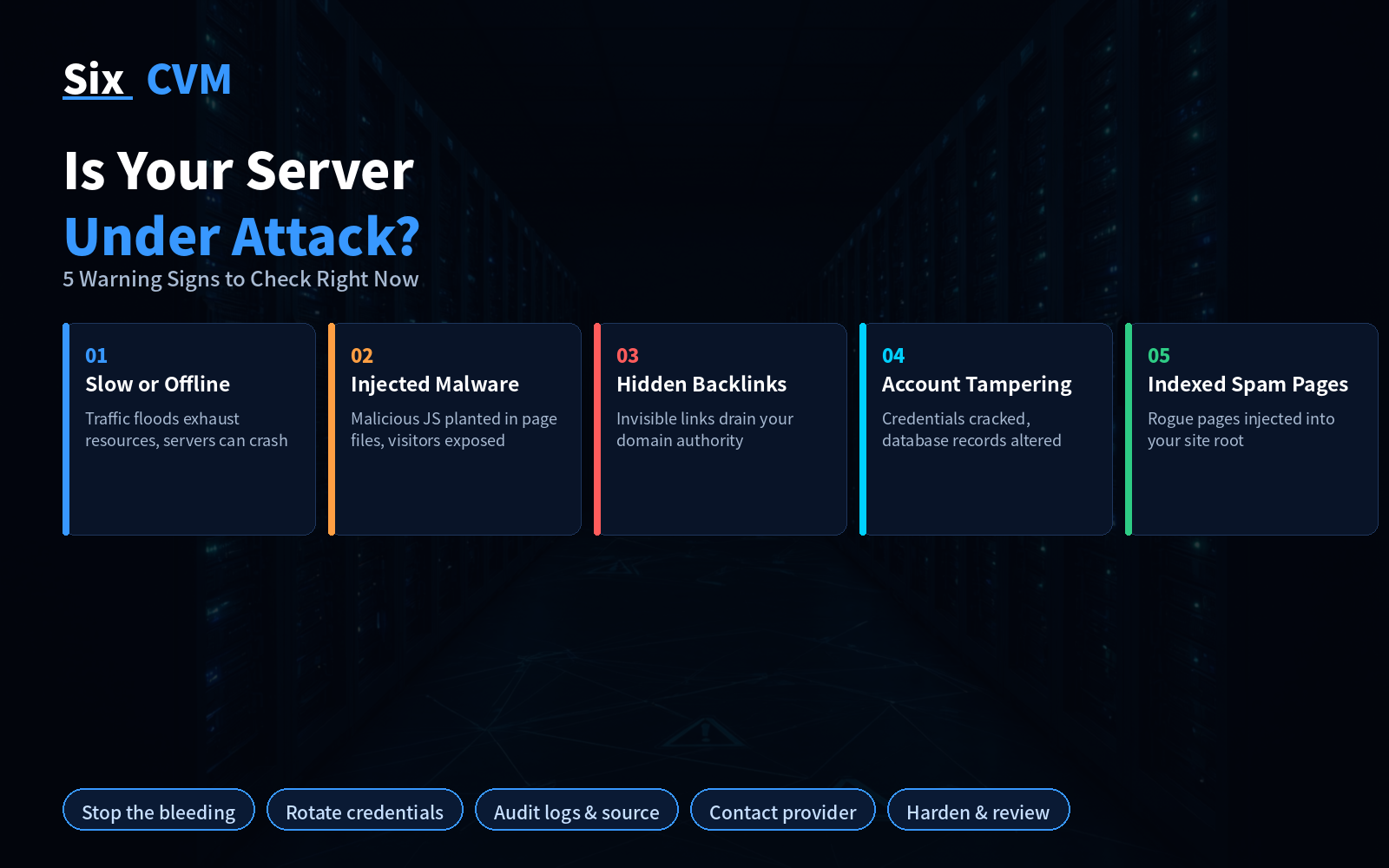
1. Pages Load Slowly — Or Not At All
What you see: Page load times stretch out noticeably, or the site simply stops responding. Yet your analytics still show plenty of visitors — sometimes a surge.
What it usually means: You are most likely facing a DDoS or CC-style attack. The goal of these attacks is not to break into your system; it is to saturate bandwidth, connection counts, and CPU time with a flood of requests. Once resources are fully consumed, legitimate users simply cannot get in.
Why it escalates: If CPU stays pinned at a high level for a long period, the server will not just slow down — it can go down entirely, taking database connections and scheduled tasks with it.
Where to look first: Check whether your traffic and connection-count graphs show a sudden spike, then scan the access logs for concentrated sources and heavily repeated request paths.
2. Malware Injected Into Pages
What you see: Your own pages trigger "this site may be harmful" warnings in the browser, or visitors report being redirected to unfamiliar pages after clicking.
What it usually means: Malicious JavaScript has been planted inside your page files. Once an attacker gains write access, they insert a script into your templates or pages. The moment a visitor opens the page, that code executes automatically, loading trojaned scripts or PHP files to steal user information, hijack sessions, or funnel your traffic elsewhere.
Why it is dangerous: This kind of code is often obfuscated. Even opening the source files by hand, you may not recognise it at a glance. And it does not only harm you — it harms every single visitor.
Where to look first: Look for recently modified files in your page and template directories, unfamiliar