How Do Servers Get Compromised? Common Attack Vectors and Incident Response
Why Servers Are Always a Target
To an attacker, an online server is about the best-value target there is: it runs around the clock, comes with plenty of compute and bandwidth, and usually carries business databases and user records on board. More importantly, taking one over is rarely a one-off win — the machine becomes a launchpad for the next round of attacks.
That is why a server compromise is seldom simply bad luck. It is usually several foreseeable weak points getting hit at the same time. Understanding those weak points up front costs far less than investigating afterward.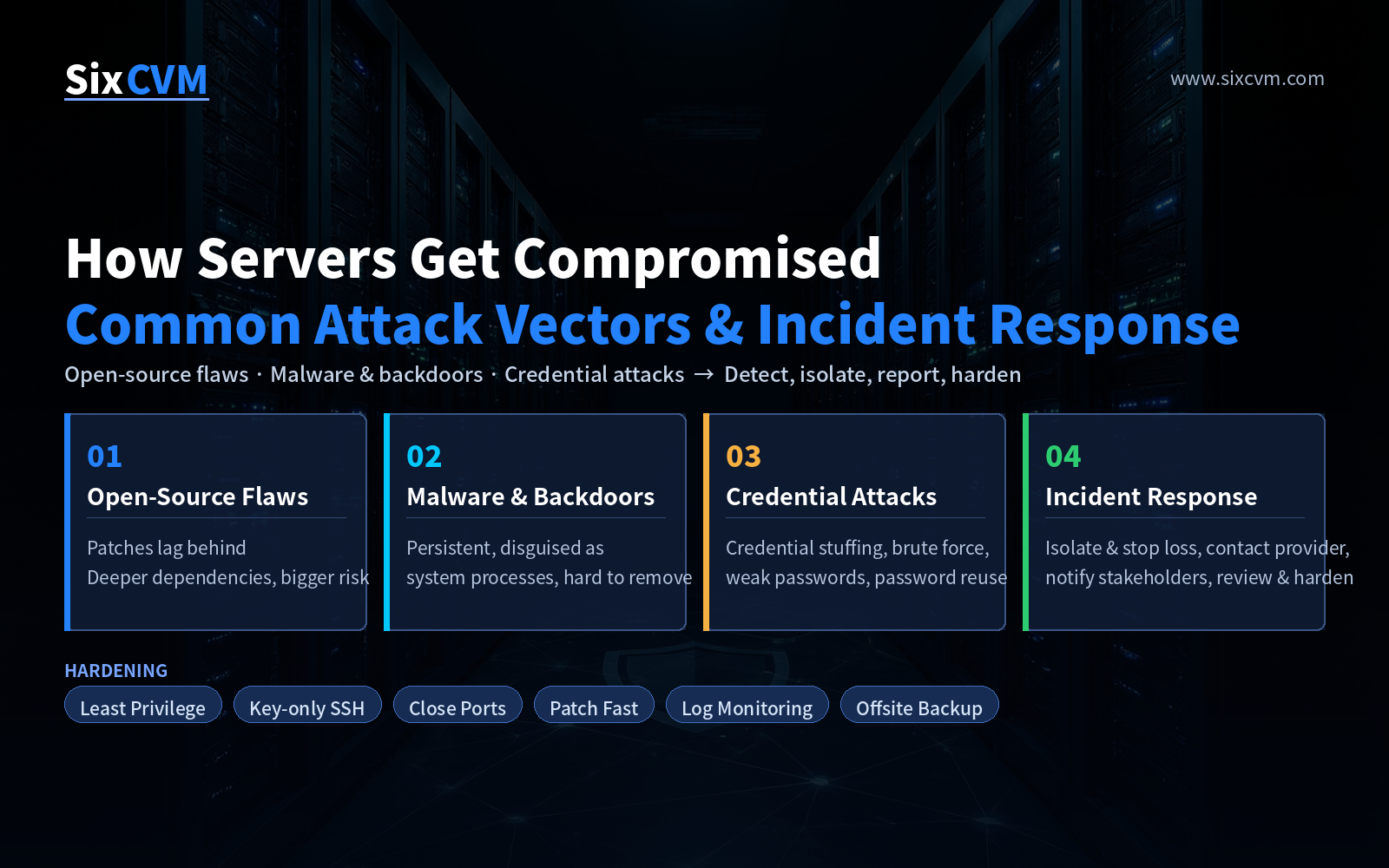
The Three Most Common Entry Points
Entry 1: Known Flaws in Open-Source Components
The defining trait of the open-source ecosystem is "many collaborators, fast iteration." That is also its exposure. When a project is maintained by contributors scattered around the world, code quality and security review vary widely, and the window between a vulnerability being disclosed and being exploited can be very short.
The real problem is usually not the operating system itself, but the middleware, frameworks, plugins, and dependency libraries you cannot see. Many teams patch only the kernel while letting Struts, Log4j, Nginx modules, or CMS plugins sit on old versions for months — and that is exactly where attackers walk in. The deeper the dependency chain and the more components you carry, the larger the exposed surface.
Entry 2: Malware and Backdoors
An attacker who gets in through a single vulnerability is not satisfied with one hit. The real danger is persistence.
A common pattern is to gain execution rights, upload a remote-control program, disguise it under a legitimate-looking system process name, and hook it into a scheduled task or startup item so it comes back on every reboot. These programs deliberately mimic the naming and paths of system services, making them hard to spot at a glance.
There is a quieter route as well: third-party utilities, cracked software, and scraped scripts of unknown origin sometimes ship with a backdoor already inside. They do not need to exploit anything — once installed, the door is open.
Entry 3: Credential Attacks — Stuffing, Brute Force, and Weak Passwords
An attacker does not always need to break the system. If they can simply log in, the result is the same.
-
Credential stuffing: people reuse the same username and password across services. When an obscure site leaks its database, that same credential set gets replayed against this server in bulk.
-
Brute force: if SSH, RDP, or database ports are exposed directly to the internet, they receive a constant flood of automated login attempts — and a weak password eventually gives way.
-
Weak passwords:
admin/123456,root/root, or a never-changed default is the oldest and still the most effective way in.
These three tend to coexist: ports left open, passwords too weak, and credentials reused — which is like leaving the key in the lock.
After a Breach Is Confirmed: Four Steps of Incident Response
Once a server is confirmed compromised, sequence matters more than speed. Acting in a panic — deleting files, for instance — destroys the evidence you will need.
Step 1: Isolate first, then stop the loss.Disconnect the affected instance from the production network, power it down or cut its public access as appropriate, and close the channel the attacker is still using. Reset passwords and keys on sensitive systems first. Remember: contain first, investigate second.
Step 2: Contact your service provider.Notify your cloud provider promptly. On one hand, they can act within the service agreement — automated shutdown, traffic scrubbing, snapshot retention; on the other, provider-side logs and traffic data are often the most critical evidence for later review. The earlier this happens, the better. Do not wait until you are stuck.
Step 3: Assess the blast radius and notify.Determine the scale — which systems are affected, whether data was read or altered, whether lateral movement has begun. Following your business continuity plan, communicate with all internal and external stakeholders. If personal data has been exposed, report to the relevant regulator as required; this step is time-bound and cannot be postponed.
Step 4: Review, harden, and prevent a repeat.Containment is not the finish line. Identify the root cause — an unpatched component, a weak credential, or a service that should never have been internet-facing — and revise your security policy and operating procedures accordingly, then fold them into daily practice. If the same entry point gets used twice, the problem is no longer the attacker.
Day-to-Day Hardening Checklist
|
Area |
Action |
Threat Addressed |
|---|---|---|
|
Access narrowing |
Close unused ports and services; restrict admin interfaces to the internal network |
Brute force, scanning |
|
Login hardening |
Use SSH keys, disable password login, move off the default port |
Stuffing, brute force |
|
Identity management |
Eliminate password reuse; enforce least privilege for admins |
Stuffing, privilege abuse |
|
Patch management |
Put the OS and third-party components on one update list |
Open-source flaws |
|
Software sourcing |
Install only from trusted sources; avoid unknown third-party tools |
Malware and backdoors |
|
Observability |
Enable login logs, anomalous process and traffic alerting |
All entry points (detection) |
|
Data fallback |
Keep offsite backups of critical data and test restores regularly |
Ransomware and data loss |
FAQ
Q: My server runs in the cloud — isn't security the provider's job?A: Responsibility is shared. The provider covers the facility, physical hardware, base network, and virtualization layer. The operating system, middleware, applications, credentials, and port policy fall to you. That is precisely where most compromises occur.
Q: If my password is complex enough, am I safe?A: Password strength only addresses credential attacks. Open-source component flaws and backdoors have nothing to do with your password — those require patch management and control over software sources.
Q: If I see signs of a breach, what should I do first?A: Isolate, not clean up. Contain the impact and preserve the on-site data before investigating. Contact your provider early so they can assist with evidence collection.
Q: How do I tell whether my server has become someone else's springboard?A: Watch for abnormal outbound connections and traffic spikes. If the server keeps making large numbers of outbound connections during idle hours, or traffic suddenly surges, review the process list and active network connections immediately.
About SixCVM
SixCVM is a global cloud service provider built for cross-border businesses, focusing on Asia-Pacific and North American node resources. It operates core nodes in Hong Kong, Japan, the United States, Korea, Singapore, Taiwan, and Vietnam, using CN2 GIA / BGP optimized routes to deliver low-latency connectivity for businesses that need strong performance from mainland China — Hong Kong latency can be under 10ms.
Its product line covers cloud VPS, GPU servers (NVIDIA A100 / H100 / RTX series), dedicated servers, bare metal servers, and domain registration, all on NVMe SSD storage, with minute-level provisioning, elastic resizing, load balancing, snapshots and backups, a 99.9% SLA, and 24/7 support. On the security side, SixCVM provides baseline protection and network-layer isolation to help customers put hardening practices such as port narrowing, access control, and data backup into real effect.